

Embedding is available on our enterprise plan. Talk to sales and we'll help you scope it.
Piece Sets (recommended)
A piece set is a reusable, named selection of pieces (and, optionally, which of their actions/triggers are visible). You build the set once in the platform admin, give it a Key, then reference that key from your provision token.1
Create a Piece Set
Go to Platform Admin -> Catalogue -> Pieces -> Piece Sets, create a set, choose which pieces are visible, and give it a Key (e.g.
premium). If you leave the key blank, one is generated from the name.2
Reference the set in the Provision Token
Issue a v4 token and set the Each time the token is used by the embedding SDK, the token’s project is assigned this piece set. If the key matches no set, the project falls back to the platform’s default set.
pieceSet claim to the set’s key. Check how to generate a token in provisioning users.Tags (legacy)
Older integrations select pieces by tag using a v3 token. New integrations should use piece sets instead.1
Tag Pieces
Tag the pieces you would like to show to your user by going to Platform Admin -> Catalogue -> Pieces, selecting the pieces you would like to tag and hit Apply Tags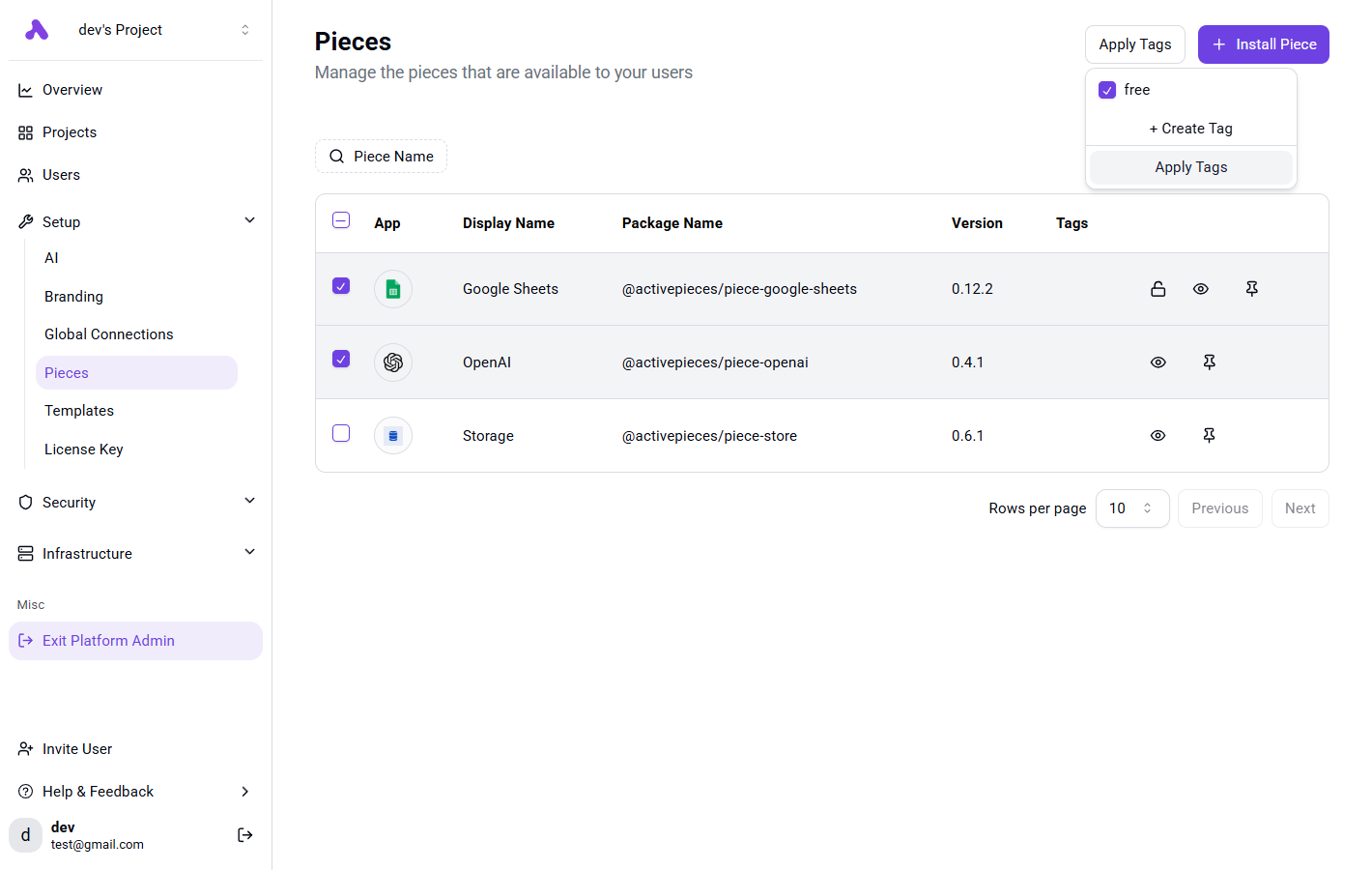
2
Add Tags to Provision Token
You need to specify the tags of pieces in the token, check how to generate token in provisioning users.You should specify the Each time the token is used by the embedding SDK, it will sync all pieces with these tags to the token’s project.
The project will only contain the pieces that contain these tags.Only the first tag is honored, and it is matched against a piece set whose key equals the tag name.
pieces claim like this: