This is a paid feature. See plans and pricing, or talk to sales about an enterprise plan.
Overview
Pieces are the building blocks of Activepieces — they are integrations and connectors (like Google Sheets, Slack, OpenAI, etc.) that users can use in their automation flows. As a platform administrator, you have full control over which pieces are available to your users. This allows you to:- Enforce security policies by restricting access to certain integrations
- Simplify the user experience by showing only relevant pieces for your use case
- Deploy custom/private pieces that are specific to your organization
Pieces are standard npm packages — official pieces are auto-synced from the registry hourly, so you don’t need to upgrade the server to get new versions. Each step in a flow is pinned to a specific piece version, and drafts can be upgraded from the builder. See Piece Syncing & Versioning for the full pipeline.
Platform-Level Management
Platform administrators can manage pieces for the entire Activepieces instance from Platform Admin → Catalogue → Pieces.Piece Sets
A piece set is a named list of the pieces, actions, and triggers that users can see in the builder. Every project uses exactly one piece set. Projects that you don’t assign to a set use the Default set. Manage piece sets from Platform Admin → Catalogue → Pieces → Piece Sets.Create a Piece Set and Assign Projects
1
Create the set
Click New Piece Set, give it a name, and open it.
2
Assign projects
Click the Assigned button and select the projects that use this set. A project can use only one set, so a project that already uses another set moves to this one. The dialog shows each project’s current set and warns you before a project moves.
Choose the Pieces
- Turn a piece’s switch off to hide it from the projects in this set.
-
Select several pieces and use Include to set what they show:
- Actions and triggers: all actions and all triggers.
- Actions only: all actions and no triggers.
- Triggers only: all triggers and no actions.
- Auto-Include · New pieces decides whether pieces installed later are visible in this set. It doesn’t change the pieces you’ve already chosen.
Choose the Actions and Triggers of a Piece
Click a piece row to open Actions & triggers:- All makes every current and future action and trigger of the piece available.
- Only selected makes only the checked items available. Actions and triggers added to the piece later stay hidden until you check them. Use Select all to check or clear every item at once.
A piece set controls what users see in the builder. It does not stop a flow that already uses a hidden piece from running or being published.
Required Actions
Use required actions when every published flow must use your own app — for example, an embedded integration that must always write to your product. Open the piece set and go to the Required actions tab.1
Choose the publishing rule
Under Publishing flows rule, choose:
- At least one (default): a flow must contain at least one of the required actions.
- All required actions: a flow must contain every required action.
2
Add required actions
Click Add actions, pick a piece, check the actions to require, and click Save. Only actions can be required, not triggers. The piece must be in the set.
3
Edit or remove them
Each piece has its own card. Click Edit on a card to change its actions, click the × on an action to remove it, or click Remove all to remove every required action.
- A skipped step doesn’t count, and neither does any step inside a skipped loop or branch.
- The Pieces tab shows how many required actions each piece has. In Actions & triggers, required actions have a Required badge.
- If a new version of a piece removes a required action, publishing ignores it. Its card shows it crossed out, with a note and a Remove button.
- Actions that only AI agents can use are ignored by the rule.
- New actions that a piece adds later are never required until you add them.
- Hiding a piece or an action that is required removes it from the required actions. The admin console asks you to confirm first.
- Flows that are already published keep running. The rule applies the next time a flow is published.
Install Private Pieces
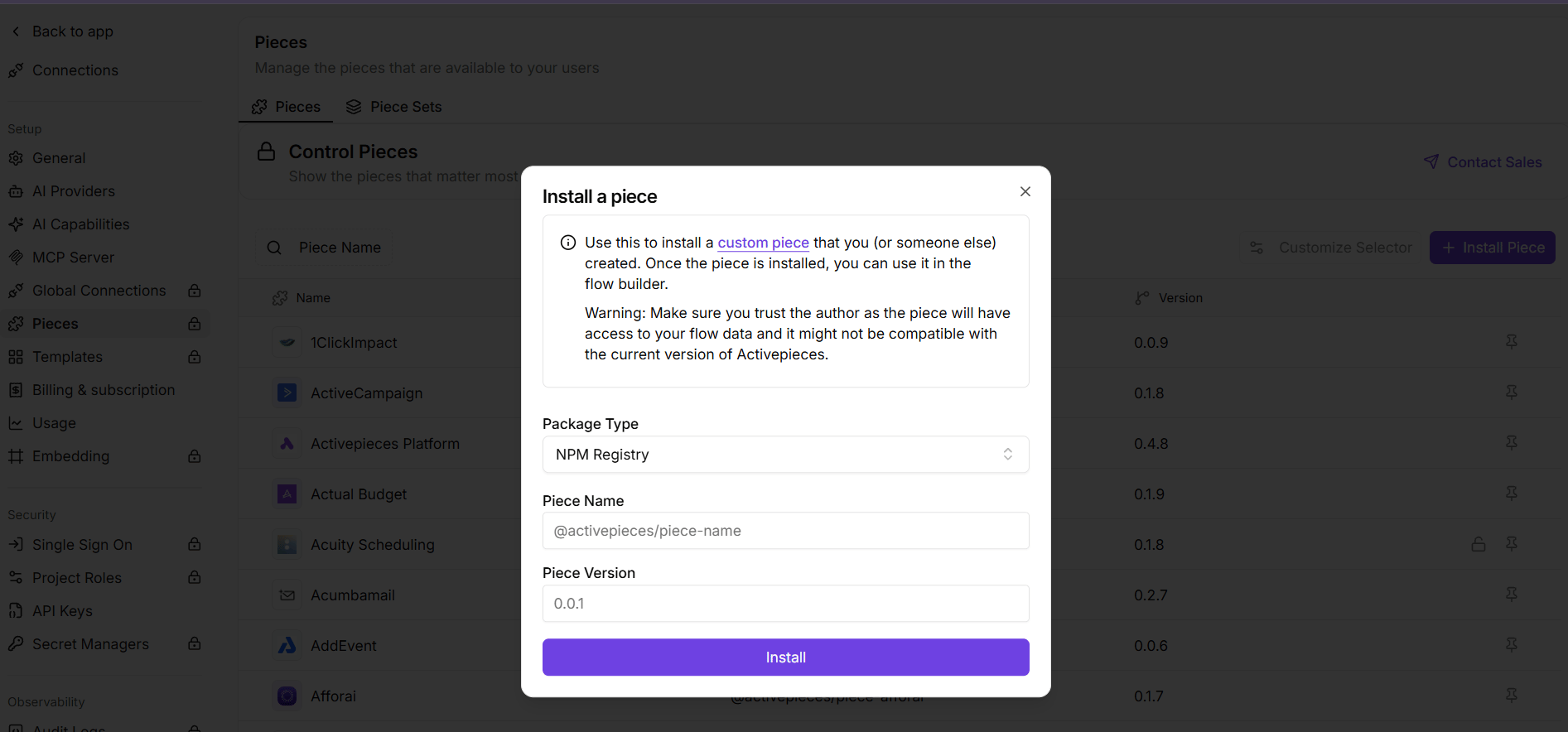
If you’ve built a custom piece for your organization, you can upload it directly as a tarball (.tgz) file.
1
Build Your Piece
Build your piece using the Activepieces CLI:This generates a tarball in
dist/packages/pieces/your-piece-name.2
Navigate to Pieces Settings
Go to Platform Admin → Catalogue → Pieces and click Install Piece.
3
Select File Upload
Choose Upload File as the installation source.
4
Upload the Tarball
Select the
.tgz file from your build output and upload it.