Prerequisites
Before connecting HashiCorp Vault to Activepieces, ensure you have:- HashiCorp Vault Key-value (KV) secrets engine version 2
- AppRole auth method enabled
- One or more AppRoles configured with appropriate policies
Policies
Enable The created AppRole to access your secrets engine(s) by adding the following to your policyConnecting to Activepieces
- Go to Platform Admin → Security → Secret Managers
- Click New Connection and select HashiCorp Vault
- Enter a Name for the connection
- Choose a Scope — Platform to make it available to all projects, or Project to restrict it to specific projects
- Fill in the connection details:
- URL: Your Vault server URL (e.g.,
http://localhost:8200) - Role ID: The Role ID from your AppRole configuration
- Secret ID: The Secret ID from your AppRole configuration
- Namespace (optional): Vault namespace if using Vault Enterprise namespaces
- URL: Your Vault server URL (e.g.,
- Click Save to test and save the connection
Using HashiCorp Vault Secrets
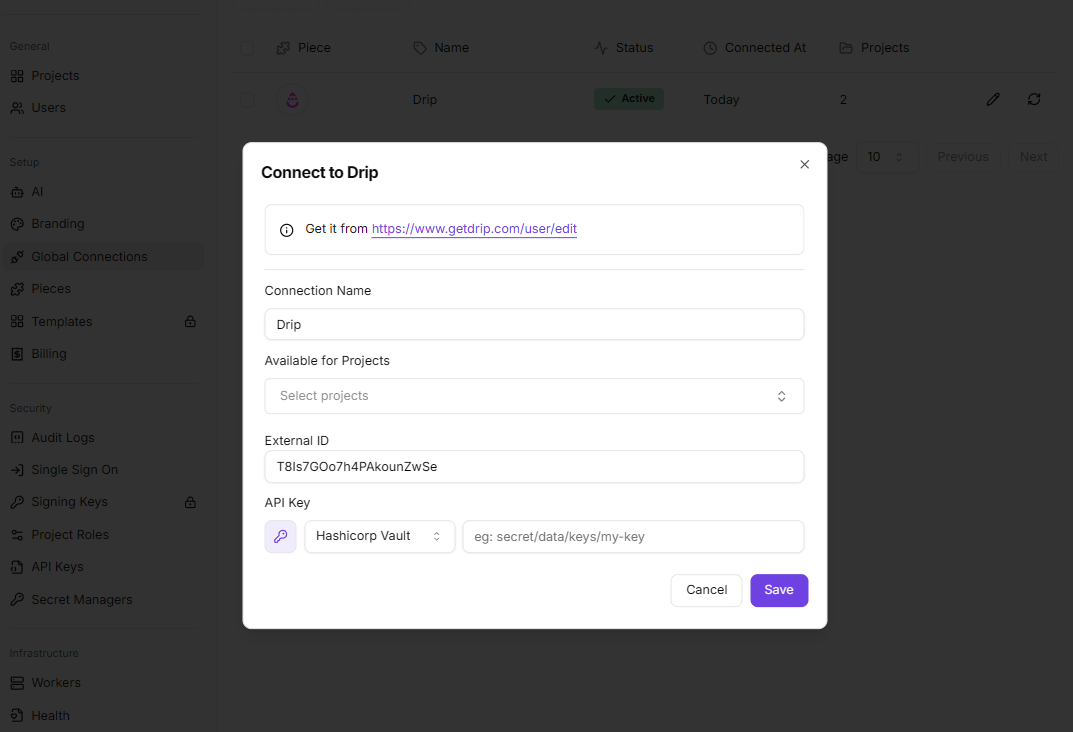
Once the connection is saved, you can reference Vault secrets inside any piece connection dialog — in global connections (Platform Admin) or directly in the flow builder.- Open a connection dialog and click the key icon (🔑) next to a credential field
- Select your HashiCorp Vault connection from the dropdown
- Enter the secret path in the format:
mount/data/path/to/secret/key